
Building a Password Validator Plugin for Oracle APEX
A drop-in replacement for the native Password item — live rule validation, a strength meter, and a one-click password generator, with zero extra database objects.
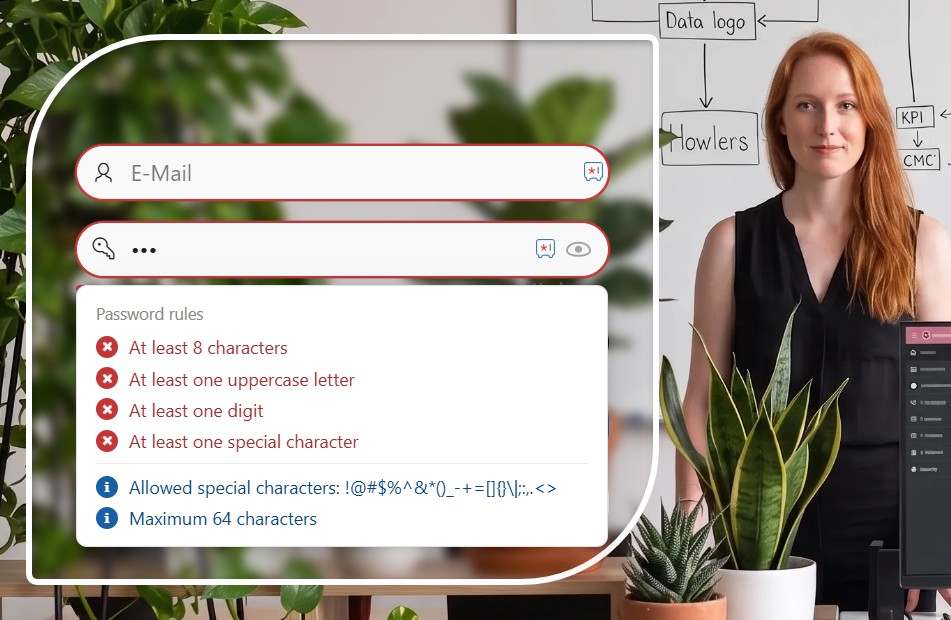
The native APEX Password item does exactly one thing: it masks what you type. It has no idea whether that value is 3 characters or 30, whether it contains a digit, or whether it is just the username typed backwards. Every project I've built ends up recreating the same password policy by hand — a validation here, a dynamic action there, copy-pasted from the last app.
So I turned it into a plugin. Password Validator is a full item type for Oracle APEX that validates every rule live in the browser, shows the result in a popover as the user types, and can optionally generate a strong password for them with one click. This article walks through what it does and how to install it — the full source, the plugin export and the complete attribute reference are on GitHub.
How It Works
The item renders like a normal password field, with a small popover attached to it. As the user types, every rule you've enabled is re-checked instantly — no submit, no server round-trip.
abc, 123), no common passwords, no username inside the passwordAttribute Groups
All 20 attributes are grouped exactly like Page Designer shows them. Every one is optional — enable only what your policy needs:
| Group | What it configures |
|---|---|
| ⚡ Button control | Optional generator button and its static ID |
| 🟧 Basic validation | Required value |
| 🔠 Character validation | Upper/lower case, digits, special characters, allowed-specials list |
| 📏 Length validation | Minimum and maximum length, each independently toggleable |
| 🚫 Restrictions | Spaces, repeats, sequences, common passwords, username check |
| ✨ UX features | Strength meter, reveal toggle |
Full attribute-by-attribute reference with defaults: README on GitHub.
Download the plugin export and import it like any other component — no SQLcl script, no extra table, nothing to compile by hand.
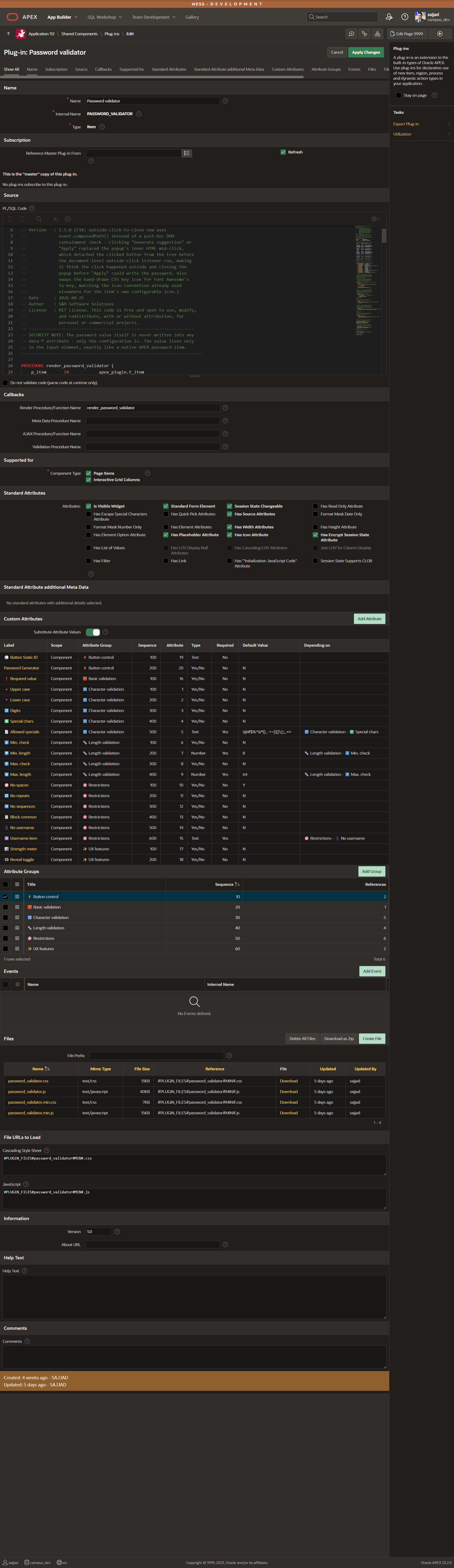
item_type_plugin_password_validator.sql from the repoEvery rule lives in Page Designer, grouped the same way as the table above. Here is a strict corporate policy — 12 characters, every character class required, and a check against the username:
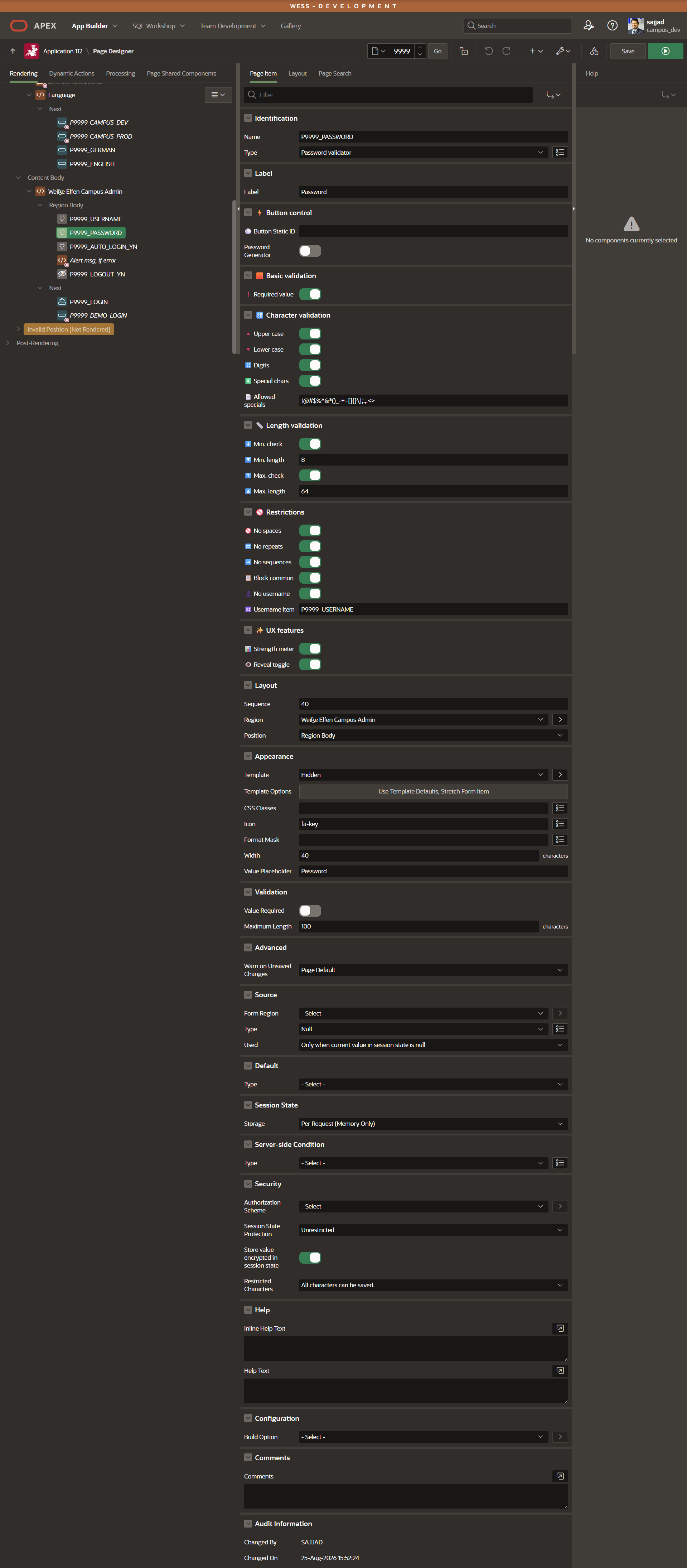
Required value:  Yes
Upper case / Lower case / Digits / Special chars:  all Yes
Min. check: Yes  (Min. length: 12)
No spaces / No repeats / No sequences / Block common:  all Yes
No username: Yes Username item: P1_USERNAMEdata-* attribute — only the plugin's configuration is. The value stays in the input element, exactly like the native Password item.This is the part users actually notice. With Password Generator enabled, a button opens a popup that suggests a password matching every active rule; accepting it fills the field and copies the value to the clipboard in one step. Add Strength meter and Reveal toggle and the field behaves like a modern sign-up form field, not a native APEX item:
Final Thoughts
This started as the same password-policy boilerplate I kept rebuilding per project — it ended up as a plugin I now drop into every login and sign-up page instead. It's released under the MIT license, so it's free to use, modify and redistribute in your own apps.
{fullWidth}