
Installing Oracle AI Database 26ai Free (formerly 23ai), ORDS and APEX 26.2 on Linux with Docker
A complete, honest install guide from an empty Linux server to a running APEX app. With real timings, real memory numbers and every error I ran into on the way.
I wanted a clean playground for a new blog series about Oracle APEX and AI. Not a cloud trial that expires, not a shared server where I am afraid to break something. My own Oracle database, my own ORDS, the newest APEX, all in Docker on a Linux box, so I can throw it away and rebuild it whenever I want.
Sounds like a thirty minute job. It was not. The database came up in 25 seconds. The APEX installation then went into an endless restart loop, Docker told me everything was fine with memory although it was not, and setting the admin password nearly leaked that password into my logs. I kept all of it. This post shows the way that works and the mistakes, because the mistakes are exactly what you will search for at midnight.
A word on the name, because it confuses a lot of people right now. Oracle renamed Oracle Database 23ai to Oracle AI Database 26ai. Technically it is the same code line, release 23.26. The free container image database/free:latest now reports itself as Oracle AI Database 26ai Free, Release 23.26.3.0.0. So if you are looking for "Oracle 23ai Free Docker", you are in the right place. Everything I use in this series also runs on 23ai Free.


Today we build the foundation. In part 2 I load my own AI embedding model into this database as an ONNX file, so the database itself can turn text into vectors. In part 3 we use those vectors for semantic search inside an APEX app. No external AI service needed for any of it.
What You End Up With
| Component | Version I installed | Notes |
|---|---|---|
| Host | Ubuntu 24.04.5 LTS, kernel 6.8 | 12 vCPU, 23 GiB RAM, no swap |
| Docker | Docker 29.8.1, Compose v5.5.1 | Nothing else needed on the host, no Oracle client |
| Database | Oracle AI Database 26ai Free 23.26.3 | Image database/free:latest, 13.8 GB, PDB FREEPDB1 |
| ORDS | 26.3.0 | Image database/ords:latest, 1.89 GB, ships SQLcl 26.1.2 |
| APEX | 26.2.0 | apex-latest.zip, schema APEX_260200 |
Two containers, one private Docker network, two volumes, and both ports bound to localhost only. Nothing is reachable from the internet. I open APEX through an SSH tunnel from my laptop.
You do not need a monster for this. The database Free edition limits itself to 2 CPUs and 2 GB of SGA plus PGA anyway. Four cores, 8 GB RAM and about 30 GB of free disk are plenty. The one place where memory really matters is the APEX installation, and I will come back to that in detail.
The Installation in 14 Steps
Check the Host
Before pulling 16 GB of images I like to know what I am working with. OS, Docker, Compose, CPU, RAM and disk.
grep PRETTY_NAME /etc/os-release
uname -r
docker --version
docker compose version
nproc
free -h
df -h /

One Folder, One Secrets File
All passwords go into a single file that both containers read. It gets chmod 600 and it never goes into Git. Use strong passwords with upper case, lower case and digits. APEX is strict about this, as you will see later.
mkdir -p /opt/apexnote-demo && cd /opt/apexnote-demo
umask 077
cat > secrets.env <<'ENV'
# SYS / SYSTEM / PDBADMIN
ORACLE_PWD=<your_sys_password>
# read by the ORDS container: ORDS_PUBLIC_USER and APEX_PUBLIC_USER
ORACLE_USER_PWD=<your_ords_public_user_password>
APEX_PWD=<your_apex_public_user_password>
ENV
chmod 600 secrets.env
stat -L -c '%A %U %s bytes %n' secrets.env

I keep a few more passwords in there for later steps (APEX admin, workspace admin, a developer user). The three above are the ones the containers actually read.
Pull the Images
Both images come from Oracle's own container registry. Good news here, database/free and database/ords are public. No Oracle account, no docker login. Only the licensed images like Enterprise Edition need you to accept a licence in the registry web page and log in with an auth token.
docker pull container-registry.oracle.com/database/free:latest
docker pull container-registry.oracle.com/database/ords:latest
docker images --format 'table {{.Repository}}:{{.Tag}}\t{{.ID}}\t{{.Size}}' \
  | grep -E 'REPOSITORY|database/(free|ords)'

# only for licensed repos (not needed here):
# docker login container-registry.oracle.com -u <your_oracle_sso_email>
# password = <your_oracle_auth_token>

One honest remark about latest. I had an older ORDS image (26.2.3) on the server, and the pull silently replaced it with 26.3.0. For a playground that is fine. For anything you want to rebuild the same way in six months, pin a version tag or the image digest.
Download APEX Yourself
This was surprise number one. Many older guides tell you the ORDS container installs APEX automatically. It still can, but the current ORDS image no longer contains APEX. You have to download it and mount it into the container at /opt/oracle/apex. If that folder is there on the first start, the container installs APEX from it.
apex-latest.zip is a free download and does not need an Oracle account.
cd /opt/apexnote-demo
curl -fL --no-progress-meter -o apex-latest.zip \
  https://download.oracle.com/otn_software/apex/apex-latest.zip \
  -w 'downloaded %{size_download} bytes in %{time_total}s\n'
unzip -q -o apex-latest.zip
grep -o "APEX_[0-9]\{6\}" apex/core/scripts/set_appun.sql | head -1
cat apex/images/apex_version.txt

I like to check the schema name right away. You will need APEX_260200 later for the admin password and, if things go wrong, for the cleanup.
The Compose File
This is the heart of the setup. Here is the whole stack in one file, and every line has a reason.
name: apexnote-demo
services:
  db:
    image: container-registry.oracle.com/database/free:latest
    container_name: apexnote-db
    hostname: apexnote-db
    restart: unless-stopped
    env_file: ./secrets.env            # ORACLE_PWD = SYS/SYSTEM/PDBADMIN password
    ports: ["127.0.0.1:1530:1521"]     # localhost only
    volumes: [db_data:/opt/oracle/oradata]
    mem_limit: 4g                      # Free caps itself at 2 GB SGA+PGA; this is the container ceiling
    stop_grace_period: 2m              # give "shutdown immediate" time (docker default is only 10 s)
    healthcheck:
      test: ["CMD-SHELL", "/opt/oracle/checkDBStatus.sh >/dev/null || exit 1"]
      interval: 15s
      timeout: 30s
      retries: 40
      start_period: 60s
    networks: [apexnote]
  ords:
    image: container-registry.oracle.com/database/ords:latest
    container_name: apexnote-ords
    restart: unless-stopped
    depends_on: { db: { condition: service_healthy } }
    env_file: ./secrets.env            # ORACLE_PWD (install), ORACLE_USER_PWD, APEX_PWD
    environment:
      DBHOST: db
      DBPORT: "1521"
      DBSERVICENAME: FREEPDB1
    ports: ["127.0.0.1:8190:8080"]     # http://localhost:8190/ords/
    volumes:
      - ./apex:/opt/oracle/apex        # APEX 26.2 files, installed on first start
      - ords_config:/etc/ords/config
    mem_limit: 1536m                   # enough for normal operation, NOT for the install (see step 7)
    networks: [apexnote]
volumes:
  db_data: {}
  ords_config: {}
networks:
  apexnote: { name: apexnote-net }

The parts I would not skip.
- Ports on 127.0.0.1. Without the IP in front, Docker publishes the port on every interface and happily punches through your firewall rules. For a database with a freshly installed APEX that is the last thing you want.
- The healthcheck plus
depends_on. ORDS only starts once the database really accepts connections. Without it ORDS starts too early, fails to connect and retries. stop_grace_period: 2m. Docker waits 10 seconds by default and then kills the process. An Oracle database deserves the time for a cleanshutdown immediate.- Memory limits. 4 GB for the database container and 1.5 GB for ORDS. The ORDS limit is perfect for daily work. It is also the reason my first APEX install failed. More on that in a minute.
Start the Database First
I start only the database and wait until Docker reports it as healthy. That way I know the database is fine before ORDS and APEX come into play.
cd /opt/apexnote-demo
docker compose up -d db
time ( until [ "$(docker inspect -f '{{.State.Health.Status}}' apexnote-db)" = healthy ]; do sleep 10; done )
docker logs apexnote-db 2>&1 | grep -E 'DATABASE IS READY|Version|ERROR|ORA-' | head -20
docker compose ps

25 seconds. The image comes with prebuilt datafiles, so there is no database creation on the first start. If you look into the alert log you will see a "crash recovery" on that first start. That comes from the prebuilt files in the image and is harmless.
Then a quick look inside. You do not need any client on the host, SQL*Plus is in the container.
-- run: docker exec -i apexnote-db sqlplus -s sys/<your_sys_password>@//localhost:1521/FREEPDB1 as sysdba < 07_verify-database.sql
select banner_full from v$version;
select name, open_mode from v$pdbs;
select name, value from v$parameter
 where name in ('sga_target','pga_aggregate_target','cpu_count','vector_memory_size','compatible')
 order by name;
select comp_id, version, status from dba_registry
 where comp_id in ('CATALOG','APEX','JAVAVM','XDB') order by 1;

Two values I noted for later. cpu_count is 2, which is the Free limit. And vector_memory_size is 0. For part 3 of this series, where we build vector indexes, that number will matter.
Start ORDS and Install APEX (the Way That Works)
On its first start the ORDS container installs ORDS into FREEPDB1, finds the APEX files in the mounted folder and installs APEX. The APEX installer runs with SQLcl inside the ORDS container, and SQLcl is a Java program. In my build it needed 1.75 GiB at its peak. With my normal 1.5 GB limit it was killed. The full story is in the troubleshooting section below.
So for the install I give ORDS more memory with a small override file, and I switch off the automatic restart. My normal compose file stays untouched.
cd /opt/apexnote-demo
cat > docker-compose.install.yml <<'YML'
services:
  ords:
    mem_limit: 3g        # the APEX install via SQLcl peaks at about 1.75 GB
    restart: "no"        # a failed install should stop, not loop
YML

docker compose -f docker-compose.yml -f docker-compose.install.yml up -d ords
time ( until docker logs apexnote-ords 2>&1 \
         | grep -qE "Oracle REST Data Services initialized|installation has failed"; do
         sleep 15; done )
docker logs apexnote-ords 2>&1 | grep -E '^INFO|^ERROR|initialized|version' | head -30

Plan for about 14 minutes. During the install the database container used up to 3 GiB and around 75 to 80 percent of one core, so do not panic when the log stays quiet for a long time.
When it is done, I recreate ORDS with the normal compose file. APEX is detected as installed, so this start only configures ORDS and takes less than a minute.
docker compose up -d ords      # back to 1.5 GB and restart: unless-stopped
docker compose ps
docker stats --no-stream apexnote-db apexnote-ords
At idle ORDS now needs around 650 MB of its 1.5 GB. Keep the override file. You will need it again for the next APEX upgrade.
Replace the Known ADMIN Password
This one is important and easy to miss. The ORDS container installs APEX with fixed passwords that are visible in its entrypoint script for anyone who looks. The last of them is the password of the instance administrator ADMIN. That is fine for a container that only listens on localhost for a few minutes. It is not fine for anything else. Change it right after the install, before the port is reachable by anybody.
The usual tool is apxchpwd.sql. I tried to run it with piped answers and failed twice (see troubleshooting). The clean, scriptable way is the exact PL/SQL call that apxchpwd.sql makes after its prompts.
-- run as SYS in FREEPDB1:
-- docker exec -i apexnote-db sqlplus -s sys/<your_sys_password>@//localhost:1521/FREEPDB1 as sysdba < 15_set-apex-admin-password.sql
alter session set current_schema = APEX_260200;
begin
    wwv_flow_instance_admin.create_or_update_admin_user(
        p_username => 'ADMIN',
        p_email    => 'admin@example.com',
        p_password => '<your_apex_admin_password>');
    commit;
end;
/
select user_name, email_address, account_locked, last_login
  from apex_260200.wwv_flow_fnd_user
 where security_group_id = 10 and user_name = 'ADMIN';

Keep the password out of your shell history and out of any file you commit. If you prefer the official script, run it interactively with docker exec -it so the hidden prompts really get a terminal.
A quick check that every entry point answers, and only on localhost.
for u in /ords/ /ords/apex_admin /ords/apex /i/apex_version.txt; do
  printf '%-24s ' "$u"; curl -s -o /dev/null -w '%{http_code}  %{redirect_url}\n' "http://localhost:8190$u"
done
ss -ltn | grep -E ':(8190|1530)\b'     # both must be bound to 127.0.0.1 only
The three /ords/... URLs answer with 302 and apex_version.txt with 200. Note that I check without -L. Why, you will find in the troubleshooting part.
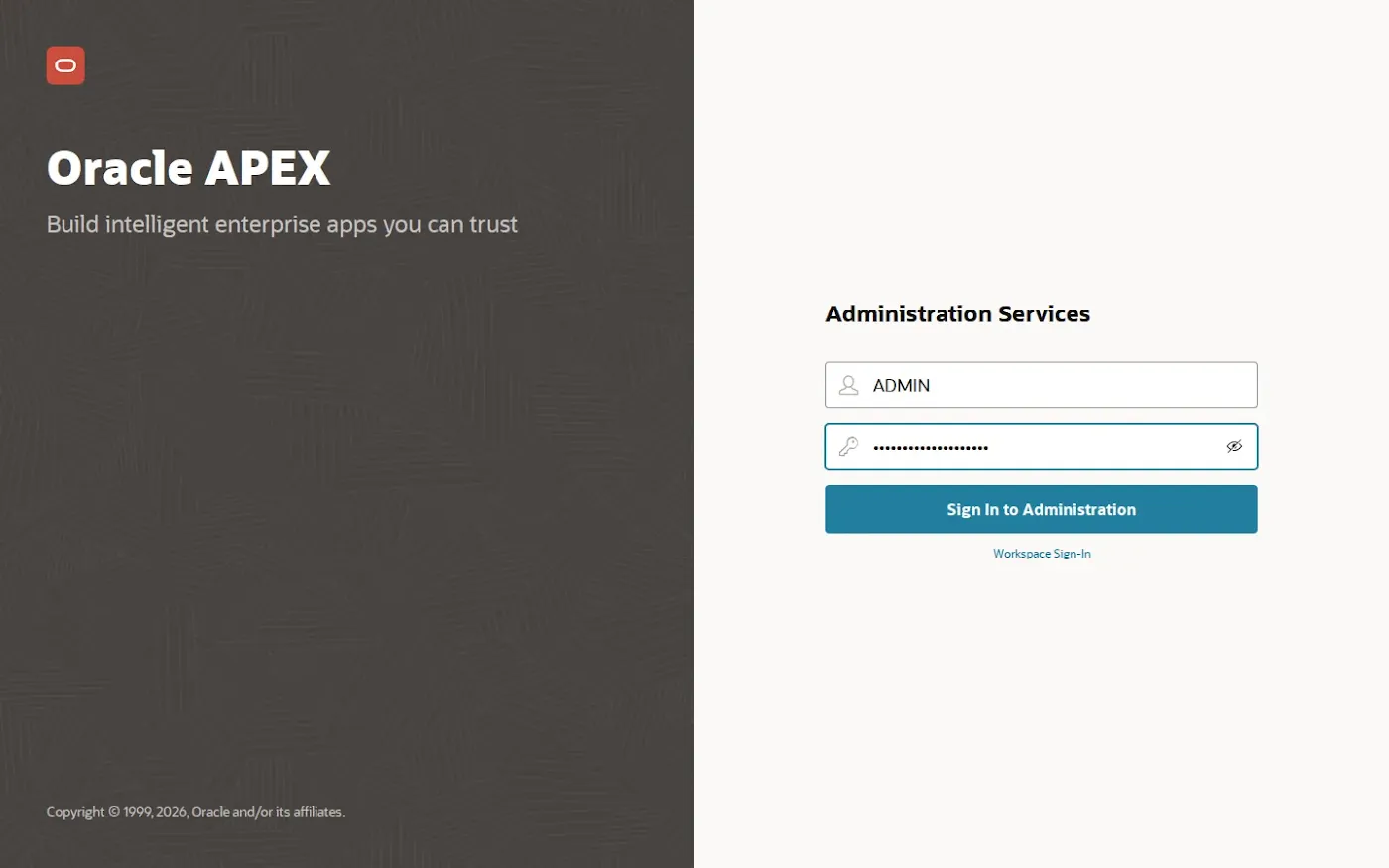
First Sign-in to Administration Services
The ports only listen on localhost of the server. From my laptop I open a tunnel and then use the browser as if everything ran locally.
ssh -L 8190:localhost:8190 <your_user>@<your_server>
# then open http://localhost:8190/ords/apex_admin
Sign in as ADMIN with the password you just set.

Create a Workspace
A workspace is your sandbox inside APEX. The wizard has four pages. I named the workspace APEXNOTE, let APEX create a new schema with the same name and a quota of 2000 MB, and created a workspace administrator APEXNOTE_ADMIN.


First Workspace Sign-in
Now sign out of Administration Services and open http://localhost:8190/ords/apex. Workspace APEXNOTE, user APEXNOTE_ADMIN.

The first thing APEX does is force a new password. The administrator you create in the wizard has to change it on the first sign-in. I like that, it means the password I typed into a wizard is not the one that stays.


A Separate Developer Account
I do not build apps as workspace administrator. Under Administration, Manage Users and Groups, Create User I created DEMO_DEV with default schema APEXNOTE, developer rights with access to App Builder and SQL Workshop, but no workspace administration.


A Small Table and a First App
To prove the whole chain works I need some data. A tiny task table in the schema APEXNOTE. And because this is 23ai and later, I can insert all ten rows with a single INSERT ... VALUES (...), (...). Small thing, but after years of INSERT ALL or ten separate statements I enjoy it every time.
create table demo_tasks (
    id          number generated by default on null as identity primary key,
    title       varchar2(200) not null,
    status      varchar2(20)  default 'Open' not null
                constraint demo_tasks_status_ck check (status in ('Open','In Progress','Done')),
    priority    varchar2(10)  default 'Medium' not null,
    owner       varchar2(50),
    due_date    date,
    created_on  timestamp with local time zone default systimestamp not null
);

insert into demo_tasks (title, status, priority, owner, due_date) values
  ('Install Oracle AI Database 26ai Free in Docker', 'Done',        'High',   'Demo Developer', sysdate - 2),
  ('Install ORDS and APEX 26.2',                     'Done',        'High',   'Demo Developer', sysdate - 1),
  ('Create workspace APEXNOTE',                      'Done',        'Medium', 'Demo Admin',     sysdate - 1),
  ('Create developer account',                       'Done',        'Medium', 'Demo Admin',     sysdate),
  ('Build the first test app',                       'In Progress', 'High',   'Demo Developer', sysdate),
  ('Schedule a nightly Data Pump export',            'Open',        'Medium', 'Demo Admin',     sysdate + 3),
  ('Document stop/start commands',                   'Open',        'Low',    'Demo Developer', sysdate + 5),
  ('Load an ONNX embedding model',                   'Open',        'High',   'Demo Developer', sysdate + 7),
  ('Build semantic search page',                     'Open',        'High',   'Demo Developer', sysdate + 10),
  ('Review memory limits of the containers',         'Open',        'Low',    'Demo Admin',     sysdate + 14);
commit;

Then, signed in as DEMO_DEV, App Builder, Create, Use Create App Wizard. Name "Task Board", one Interactive Report page on DEMO_TASKS with Include Form switched on, authentication with Oracle APEX accounts. One small trap here. The wizard proposes a new application ID every time you open it (101, 102 and so on). I set 100 explicitly, so my scripts and the export always refer to the same app.


Run It
Run the app, sign in as DEMO_DEV, open the tasks, edit "Build the first test app" and set it to Done.


That is the installation. If you only wanted the working recipe, you can stop here. If you want to know what can go wrong, and what went wrong for me, read on.
Troubleshooting. Everything That Went Wrong
I am writing this section because I could not find most of these answers when I needed them. All logs below are from the real build. Only the passwords are masked.
1. The APEX install fails and the container restarts forever
My first ORDS start used the normal compose file with mem_limit: 1536m and restart: unless-stopped. ORDS 26.3.0 got installed without problems. Then the log said "Installing Oracle APEX on your DB, please be patient", and some minutes later this.
INFO : The container found Oracle APEX version 26.2.0 in the mounted volume.
INFO : Installing Oracle APEX on your DB, please be patient.
ERROR: The Oracle APEX installation has failed
INFO : Detected database type: free
INFO : Attempt 1: Connecting to db:1521/FREEPDB1...
INFO : The Oracle REST Data Services is already installed in your database.
INFO : Installing Oracle APEX on your DB, please be patient.
ERROR: The Oracle APEX installation has failed
ERROR at line 1:
...

No reason in the log. After eleven and a half minutes I stopped watching and started looking.
docker inspect apexnote-ords --format 'OOMKilled={{.State.OOMKilled}}  RestartCount={{.RestartCount}}'
journalctl -k --since today | grep -E 'Memory cgroup out of memory' | cut -c1-170
docker logs apexnote-ords 2>&1 | grep -E 'FAIL|ORA-20001' | sort | uniq -c
OOMKilled=false  RestartCount=23
kernel: Memory cgroup out of memory: Killed process 2713930 (java) total-vm:107893560kB, anon-rss:1554688kB, ...
     23 .   FAIL - Precondition for Phase 1 failed: APEX_260200 already exists
     23 ORA-20001: Prerequisite checks failed; unable to proceed with APEX installation

This took me a while to understand, so here it is step by step.
- Docker's
OOMKilled=falseis misleading. The flag only says whether the container's main process was killed. The APEX installer is a separate Java process (SQLcl) started by the entrypoint script. The kernel killed that one at about 1.5 GB, the cgroup limit. The main process survived, saw the failure and exited, so Docker reports no out-of-memory at all. restart: unless-stoppedturned one failure into 23. Docker restarted the container, the entrypoint tried the install again, and found the schemaAPEX_260200left over from the first half-finished attempt. Precondition failed, exit, restart, same thing. An endless loop that will never heal itself.- The real number. When I measured the install later with a 3 GB limit, the ORDS container peaked at 1.75 GiB. The 1.5 GB limit was simply too small for the installer, while it is more than enough for ORDS in normal operation.
The fix has three parts. First stop ORDS and remove the half-installed APEX with Oracle's own apxremov.sql. SQLcl is in the ORDS image, so I run it from a one-off container with enough memory.
cd /opt/apexnote-demo
docker compose stop ords
echo 'exit' | docker run --rm -i --network apexnote-net --memory 3g \
  -v "$PWD/apex:/opt/oracle/apex" -w /opt/oracle/apex \
  --entrypoint sql container-registry.oracle.com/database/ords:latest \
  -s sys/<your_sys_password>@db:1521/FREEPDB1 as sysdba @apxremov.sql | tail -15

echo "select count(*) as apex_users_left from dba_users where username like 'APEX_2%';" |
  docker exec -i apexnote-db sqlplus -s sys/<your_sys_password>@//localhost:1521/FREEPDB1 as sysdba

Do not let the ORA-04043: Object VALIDATE_APEX does not exist scare you. The installer never got far enough to create that object, so the removal script cannot find it. The important lines are "Oracle APEX Removed" and the zero at the end.
Second, start once with the override file from step 7 (3 GB, restart: "no"). Third, go back to the normal file. With that order the install went through in 13 minutes 47 seconds. If you start fresh with step 7 as I described it, you never see this error at all.
An automatic restart policy is great for a service that runs. It is terrible for a one-time installation. If an install step fails, I want the container to stop and wait for me, not to retry 23 times on top of a broken state.
2. apxchpwd.sql with SQLcl and piped answers
Back to the admin password. My first idea was to feed the three answers of apxchpwd.sql (username, e-mail, password) through a pipe into SQLcl, which is already in the ORDS container together with the APEX files.
# do not do this, kept here only to show the error
printf 'ADMIN\nadmin@example.com\n%s\n' '<your_apex_admin_password>' |
  docker exec -i -w /opt/oracle/apex apexnote-ords \
    sql -s sys/<your_sys_password>@db:1521/FREEPDB1 as sysdba @apxchpwd.sql
Error starting at line : 64 File @ /opt/oracle/apex/apxchpwd.sql
In command -
accept EMAIL    CHAR prompt "Enter &USERNAME.'s email [&M_EMAIL_ADDRESS.] " default &M_EMAIL_ADDRESS.
Error report -
SP2-0003: Ill-formed ACCEPT command starting as @example.com
Password does not conform to this site's password complexity rules.
* Password must contain at least one numeric character (0123456789).
* Password must contain at least one upper-case alphabetic character.
* Password must not contain username.
ORA-20001: Password validation failed.

SQLcl stumbles over the unquoted default value in one ACCEPT line of the script. Because of that the answers shift by one line, and the e-mail address ends up as the password. APEX rejects it, which at least shows you the instance password rules. One nice side effect.
3. apxchpwd.sql with SQL*Plus. Worse, the password ends up in the log
Fine, I thought, SQL*Plus is in the database container. I copied the script and its helper over and piped the same answers.
Enter the administrator's username [ADMIN] User "ADMIN" exists.
Enter ADMIN's email [admin@example.com] Enter ADMIN's password []
ORA-20001: Invalid password.

SP2-0734: unknown command beginning "<masked>" - rest of line ignored.

The password prompt in apxchpwd.sql uses ACCEPT ... HIDE. Hidden input is read from the terminal, not from standard input. There is no terminal in a pipe, so the password is empty and APEX says "Invalid password". Then SQL*Plus reads the next line from the pipe, which is my password, and tries to run it as a command. SP2-0734: unknown command beginning "...", followed by the first characters of the password. In clear text, in the output, in every log that captures it.
In my material it is masked, and I changed that password before it was ever used. But this is exactly how secrets end up in CI logs. Never pipe secrets into scripts that were written for a human at a keyboard. Use the PL/SQL call from step 8, or run apxchpwd.sql interactively with docker exec -it.
4. The other small things
| Symptom | Cause | Fix |
|---|---|---|
The instance ADMIN has a password you never chose | The ORDS entrypoint installs APEX with fixed passwords that anybody can read in the image | Set your own right after the install (step 8), keep the port on localhost until then |
| First workspace sign-in asks for a new password | The wizard-created workspace admin must change the password on first use | Expected behaviour, have a second password ready |
docker compose stop and the database | Docker waits 10 seconds by default, then kills | stop_grace_period: 2m. Here shutdown immediate took about 3 s, a busy database needs longer |
curl -L .../ords/apex ends with exit code 47 | Too many redirects. The APEX sign-in redirect chain needs a session cookie that curl does not keep | Check only the first hop without -L and expect a 302 |
| A wait loop on "ORDS initialized" returns immediately after a restart | docker logs still contains the line from the previous start | Poll the HTTP endpoint instead of grepping the log |
apex export prints "File f100.sql created", but there is no file | The ORDS image runs as user oracle (uid 54321) and cannot write into a root-owned bind mount | Run with --user "$(id -u):$(id -g)" -e HOME=/tmp |
| The Create App wizard proposes 101, 102, ... | It takes the next free ID every time you open it | Set the application ID explicitly |
Stopping and Starting
Thanks to depends_on the order is handled for me. ORDS waits until the database is healthy.
cd /opt/apexnote-demo
time docker compose stop
time ( docker compose start &&
       until [ "$(curl -s -o /dev/null -w '%{http_code}' http://localhost:8190/ords/apex)" = 302 ]; do sleep 3; done )
docker compose ps

Look closely at the exit codes. The database exited with 143, which means it received the stop signal and shut down cleanly, the alert log shows a normal shutdown immediate of about three seconds. ORDS exited with 137 after the default 10 seconds, so Docker killed it. For ORDS that does not matter, it holds no data. For the database it would, and that is why only the database has the long grace period.
Backups, Before You Build Anything Real
I do two kinds of backup. A logical one that I can run any time, and a cold copy of the whole volume.
Data Pump and APEX export
cd /opt/apexnote-demo && mkdir -p backup && TS=$(date +%Y%m%d_%H%M)

# 1) Data Pump export of the workspace schema (the dump lands inside the container, copy it out)
docker exec apexnote-db expdp system/<your_sys_password>@//localhost:1521/FREEPDB1 \
  schemas=APEXNOTE directory=DATA_PUMP_DIR dumpfile=apexnote_$TS.dmp logfile=apexnote_$TS.log 2>&1 | tail -6
docker cp "apexnote-db:$(docker exec apexnote-db bash -c "ls \$ORACLE_BASE/admin/FREE/dpdump/*/apexnote_$TS.dmp")" backup/

# 2) APEX app export with SQLcl from a one-off ORDS container, running as your own uid
docker run --rm --network apexnote-net --memory 2g --user "$(id -u):$(id -g)" -e HOME=/tmp \
  -v "$PWD/backup:/backup" -w /backup --entrypoint bash container-registry.oracle.com/database/ords:latest -c \
  "echo 'apex export -applicationid 100' | sql -s apexnote/<your_schema_password>@db:1521/FREEPDB1"
ls -lh backup/

The app export runs in a separate short-lived container on purpose. SQLcl is Java, and after the install story I did not want it to eat the memory of the running ORDS. And yes, the --user part is the fix for the export that "created" a file nobody could find.
Cold backup of the volume
For a full copy I stop both containers, tar the data volume and start again.
cd /opt/apexnote-demo && TS=$(date +%Y%m%d_%H%M)
time ( docker compose stop ords db &&
  docker run --rm -v apexnote-demo_db_data:/data:ro -v "$PWD/backup:/backup" alpine \
    tar czf /backup/db_data_$TS.tgz -C /data . &&
  docker compose start )

# restore: stop, then unpack into the empty volume, then start
docker run --rm -v apexnote-demo_db_data:/data -v "$PWD/backup:/b" alpine \
  sh -c 'rm -rf /data/* && tar xzf /b/db_data_<timestamp>.tgz -C /data'
6.9 GB of volume became a 1.2 GB archive, with 3 minutes 39 seconds of downtime in total. For a playground that is perfectly acceptable. For production you would use RMAN, but that is another post.
What the Stack Really Costs

| Idle (after restart) | Peak (APEX install) | |
|---|---|---|
| Database RAM | 2.05 GiB of 4 GiB | 3.03 GiB |
| ORDS RAM | 636 MiB of 1.5 GiB | 1.75 GiB with the 3 GB limit, killed at 1.5 GB |
| CPU | Database about 3 %, ORDS about 0.2 % | Database 75 to 80 % of one core |
| On disk | Size |
|---|---|
| Database image | 13.8 GB |
| ORDS image | 1.89 GB |
| Data volume (PDB datafiles incl. APEX 1,877 MB) | 6.87 GB |
| ORDS config volume | 38 KB |
| APEX unzipped plus zip | 1.2 GB plus 322 MB |
| Cold backup archive | 1.2 GB |
And the time, in one place.
| Step | Time |
|---|---|
| Pull both images (15.7 GB) | 140 s |
| Download and unzip APEX | 11 s |
| First database start until healthy | 25 s |
| Failed APEX install until I stopped it | about 11.5 min |
| Remove the half install with apxremov.sql | 39 s |
| ORDS start with APEX install (3 GB) | 13 min 47 s |
| Back to normal limits | 50 s |
| Stop / start until APEX answers | 14 s / 56 s |
| Data Pump export of the schema | 44 s |
| Cold volume backup (downtime) | 3 min 39 s |
Without my detour you are at roughly 20 minutes of waiting, most of it the APEX installer.
Whether it is a development box like this one, an upgrade to APEX 26.2 or a production setup with proper backups, we build and run Oracle APEX environments for our customers every day. Get in touch.
What Comes Next
The table above already contains two open tasks. "Load an ONNX embedding model" and "Build semantic search page". That is not an accident.
- Part 2. Your own AI embedding model inside the database. We load an ONNX model into this database, so it can turn text into vectors with plain SQL. No API key, no data leaving the server.
- Part 3. Semantic vector search in APEX. We store those vectors next to the data and build an APEX page that finds tasks by meaning instead of exact words. That is also where
vector_memory_size = 0from step 6 comes back.
Final Thoughts
The happy path of this installation is short. Two images, one compose file, one override for the install, one PL/SQL call for the admin password. What made it take a morning were the things nobody writes down. A Docker flag that says "no out of memory" while the kernel killed the installer. A restart policy that turned one error into 23. An interactive script that printed my password when I fed it from a pipe.
None of that is a reason not to use Docker for Oracle. I would do it the same way again, because I can now throw the whole thing away and have it back in twenty minutes. I just know where the traps are. Now you do too.
If you hit an error that is not in this list, write to me. I read every message, and the best ones end up in the troubleshooting table.
{fullWidth}